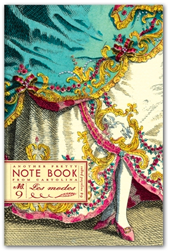
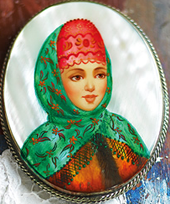
The big day is finally here - I am so proud to announce that our Cartolina iPhone app is now available at the iTunes store. So in case you've been living under a rock for the last week let me introduce you to the big project we've been working on for months: Our app is all about sending brief but beautiful messages using one of our customizable Cartograms. Pretty up someone's inbox today with a Cartogram from the Cartolina iPhone app. Choose from the selection of designs, customize your message and then you can either email or text it to the recipient. The Cartolina app supports multiple languages, allows you to send to multiple recipients and it also includes an integrated calendar which sends you automatic reminders - so you'll never miss a birthday again. Click here to see all the Cartograms and to find a direct link to the app store.


It was so fun yesterday to watch the app roll out around the world - first it showed up at the Latvian app store around 4pm, then Australia, New Zealand - very exciting. I hope you have fun with it if you choose to download it. I have all ready started designing a selection of new Cartograms for the next update. Thanks for all your support and good luck wishes over the last few days - I am very grateful to you :-)
Custom developed by VectorBloom Technologies for Cartolina

26 comments:
Awesome congrats!
Fabulous! I just bought it.
Congratulations.It's beautiful. I want an iPhone just so I can get this app!
Sandy K
Good luck Fiona... I see India Knight has just posted it on her Posterous and Twitter... you are flying!x
I love it, but any plans for us Android folks?
Hi there,
I Want to buy the app but have an Iphone 3, is this just for Iphone 4's?
Thanks
Bridget
So lovely & a great idea - just wish I had an iphone now! x
HI everyone - thank for the comments!
yes we are planning on releasing the app for Android phones - might be a few weeks though :-)
To download the app you just need to synch your phone to make sure it has the latest OS(I had to do this too - I'm always behind)
It works on older phones - not just iPhone 4 - I have a 3Gs.
Thanks so much - enjoy!
Fiona
It's not working on my 3G iPhone. :(
Hi Lindyspice! the app works well on a 3G phone, you just have to synch it with your computer for a few minutes to make sure you have the latest system software and then it should work fine for you.
Thanks! Fiona
love this, can i get it on my ipad?
It's beautiful – just bought it!
just downloaded it on my iphone 4 and it looks stunning. I am so impressed it has picked up my ical calendar and made it look so much more stylish. I am so pleased I came across your blog. Michelle www.colourblogging.blogspot.com
Another person hoping this will work on an iPad...
Hello everyone - thank you so much for taking the time to comment!
Regarding the iPad - just spoke with our developers and the app will start working with the iPad in November - when the iPad operating system changes over. I knew that I had completed all the art work for the iPad so I just presumed it would work immediately on the iPad but I guess we were just preparing for November. Sorry you have to wait a little longer!
Fiona
Love, love, love the app...and especially love the fact that I'm the first of my friends to have it. Pretty emails & texts have garnered ooohhhs and aaahhhs! Thanks!
Oh WOW, how awesome!! I'm going to download it now!!
I just installed your app! Sooo cute! I am going to mention it on my blog tomorrow. https://sweetsodapop.blogspot.com/
Congrats!
can't wait to download! congratulations!
Fiona,
Will there be a separate iPad app or should I just go ahead and download the iPhone one and wait, with bated breath, until November for it to work?
Thanks!
That's a good question Megan - I think you should wait because I imagine that by November we will probably have a few updates for the app - so maybe wait :-)
Thanks
Fiona
this app is great!
Thanks, Fiona! Will wait eagerly for November, then :)
I can't figure out how to text it. When I push the "text" button the cartolina app seems to go away and my text messages app appears. There doesn't seem to be a connection between the two.
Not to worry katie - it's quite simple.
After you have written your message press SEND AS TEXT. When the texting window opens touch your finger into the field where you normally type your message for a moment. The word PASTE will appear. Touch the word PASTE and the Cartogram will drop into the field. Then press SEND. It may take a couple of practices to get the touch right but you'll get the hang of it quickly and then there's no stopping you!
Thanks
Fiona
Such a lovely mix of art and vintage sensibility with modern technology. Just lovely.
Post a Comment